![[decorative]](https://mixagame.com/wp-content/uploads/2025/10/cropped-mixagame-redwhite-logo-1024x256-1.png)
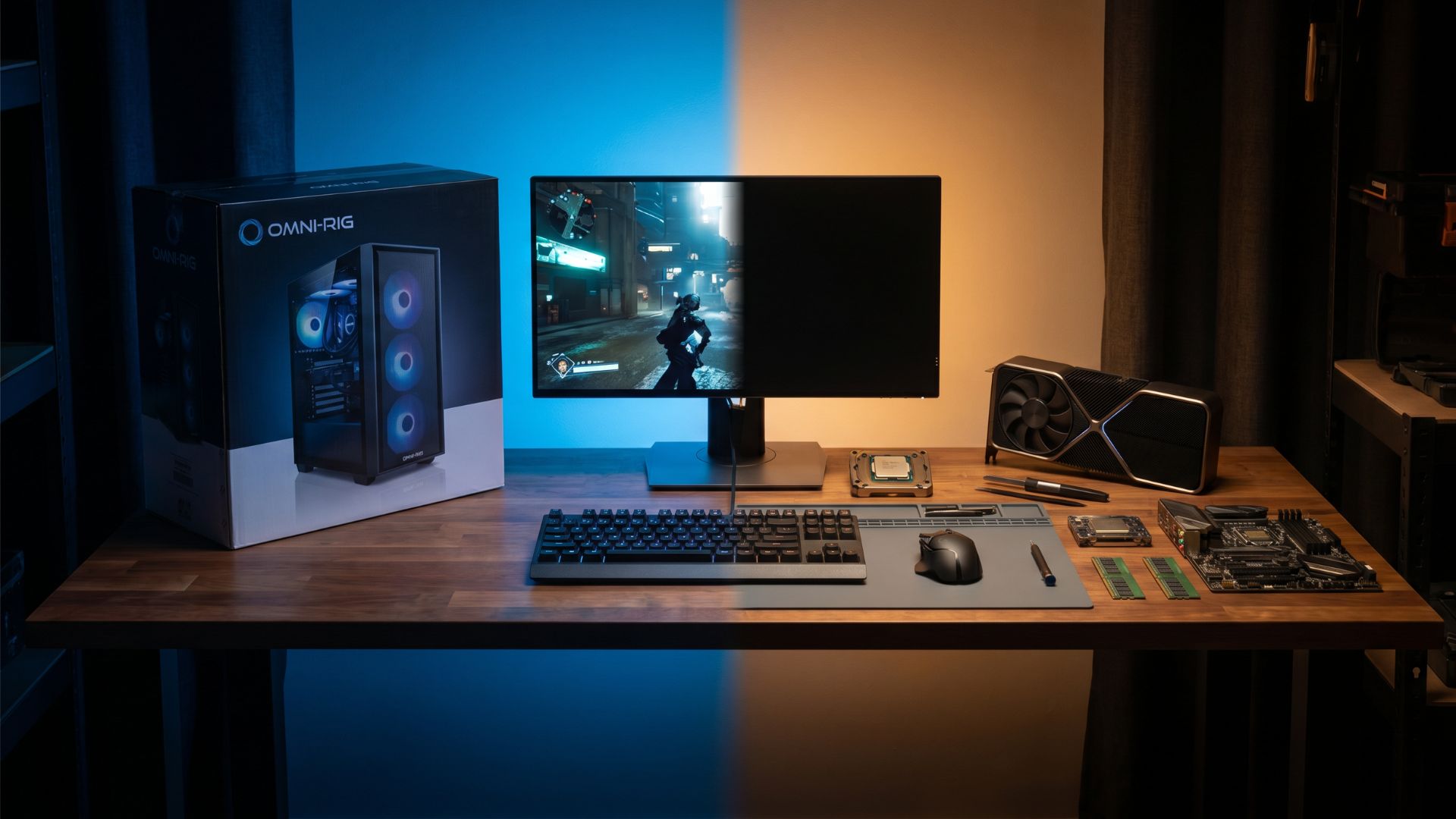
The moment you decide to get serious about PC gaming, someone will tell you to build your own rig. And someone else will tell you that prebuilts have never been better. Both of them are partially right, and that is exactly what makes this decision harder than it looks.
The prebuilt vs custom PC debate has been running since the early days of consumer gaming hardware, but 2026 has genuinely changed the math. Prebuilt systems from major OEMs have gotten more competitive on price. Component availability is the best it has been in years. And the DIY community is larger and better resourced than ever, with build guides and part-picker tools making the process more accessible to newcomers. So where does that leave you?
The answer depends less on the hardware and more on what you are actually paying for when you choose either path.
What you are actually buying with a prebuilt
When you buy a prebuilt gaming PC from a brand like NZXT, CyberPowerPC, iBUYPOWER, or a retailer like Best Buy’s Insignia line, you are not just buying components. You are buying time, convenience, and a warranty that covers the whole system as a single unit. For a lot of buyers, that is genuinely worth something.

Prebuilts have historically carried what the industry calls a “convenience tax.” You would pay a meaningful premium over buying the same parts individually and assembling them yourself. That gap was significant a few years ago, sometimes running 20 to 30 percent above equivalent DIY cost. In 2026, that premium has narrowed, particularly in the mid-range tier. Some prebuilts are now within 10 to 15 percent of DIY equivalent builds, and a handful of well-timed deals close the gap almost entirely.
But the premium is only part of the story. Where prebuilts often cut corners is in the supporting components. The GPU and CPU might be exactly what the spec sheet promises. The RAM, the power supply, the case airflow, the storage speed, these are where OEMs frequently shave costs without it showing up in the headline specs. A system advertised with an RTX 4070 might be paired with a budget-tier 80 Bronze PSU and a single 8GB RAM stick running in single-channel mode. Neither of those will end your gaming experience, but both are compromises that a DIY builder would never make.
The real cost of building your own
Custom builds give you full control over every dollar you spend and every component you choose. That control is genuinely valuable, but it comes with a trade-off that most guides understate: your time and your risk tolerance.
Building a PC in 2026 is not technically difficult. Tutorials on YouTube walk you through every step, and modern motherboards and cases are designed with accessibility in mind. But troubleshooting is a different skill entirely. If your system fails to post on first boot, if a component arrives DOA, if your RAM is not compatible with your motherboard at the rated XMP speed, you are the support desk. There is no warranty hotline for your assembled system as a whole, only per-component manufacturer warranties.
For experienced builders, that is a non-issue. For someone putting together their first rig, it is a real consideration. One bad part or one misread compatibility list can turn a weekend project into a two-week ordeal of RMA requests and forum deep-dives.

The flip side is that custom builds almost always win on long-term value. Understanding how long a gaming PC last depends heavily on this exact point: when you know what is in your system, upgrading later is straightforward. Swap the GPU, add RAM, drop in a larger SSD. You are not working around proprietary motherboard layouts or underpowered OEM power supplies that cannot handle a better graphics card.
Comparing the two side by side
Here is a realistic comparison of a mid-range build in both formats as of mid-2026:
| Spec | Prebuilt (CyberPowerPC Gamer Xtreme) | Custom DIY Build |
| CPU | Intel Core i5-14400F | Intel Core i5-14400F |
| GPU | RTX 4060 Ti | RTX 4060 Ti |
| RAM | 16GB DDR5 (single stick) | 16GB DDR5 (dual channel) |
| Storage | 1TB NVMe | 1TB NVMe (Samsung 980) |
| PSU | 600W 80 Bronze | 650W 80 Gold |
| Price | ~$1,099 | ~$950 |
| Warranty | Full system 1-year | Per-component |
| Assembly | Done for you | You build it |
The custom build wins on component quality and price. The prebuilt wins on simplicity. That tradeoff is the core of the entire debate.
Where prebuilts make the most sense
There are specific situations where a prebuilt is the smarter call, and being honest about them matters.
If you have no patience for research and no interest in learning the hardware side of PC gaming, a prebuilt removes friction that could otherwise keep you from gaming at all. There is no shame in valuing your time over your savings. A $150 convenience premium is nothing compared to the hours of research and assembly a DIY build requires.
Prebuilts also make sense when you need something fast. Moving, a new job, a holiday window where deals are running, sometimes you just need a gaming PC this week and you do not have a month to research parts, wait for shipping, and build. OEM systems are ready on day one.
Finally, prebuilts are increasingly solid choices for buyers who plan to use the system as-is for several years without touching the internals. If you are not interested in upgrading and you just want something that works reliably, a reputable prebuilt from a known vendor with a decent support track record is a perfectly rational choice.

Where custom builds win every time
For anyone who wants maximum performance per dollar, full upgrade flexibility, and the satisfaction of knowing exactly what is in their machine, building custom is the answer. The component selection process forces you to understand how a PC actually works, which pays dividends every time something goes wrong or something better comes out.
Custom builds also let you make deliberate choices that OEMs never prioritize. You can choose a case with excellent airflow for lower thermals. You can pick a high-quality power supply with real headroom for future GPU upgrades. You can opt for two RAM sticks in dual-channel configuration from the start, which makes a measurable difference in gaming frame rates compared to a single stick of equivalent capacity.
The learning curve is real, but it is shorter than most people expect. Sites like PCPartPicker handle compatibility checks automatically, and the PC building community is one of the most helpful corners of the internet. Most first-time builders get their system up and running within a weekend.
For a deeper look at how these component choices affect long-term performance and upgrade decisions, our complete guide to desktop gaming PC power, performance, and upgrades covers the full picture from hardware fundamentals to future-proofing strategy.
The middle ground most people overlook
There is a third option that deserves more attention than it gets: buying a prebuilt and then immediately upgrading one or two components. This is especially common with budget prebuilts where the GPU is the weak link. You get the convenience of a fully assembled system, the warranty on the base hardware, and you still get to choose the component that matters most to your gaming experience.
It is not a perfect approach. OEM power supplies sometimes cannot support a significantly better GPU. Proprietary cases can limit your options. But in the right situation, with the right prebuilt as a starting point, it is a legitimate hybrid strategy that gets you gaming quickly while still leaving room to improve.
So what do you actually pay for?
When you buy a prebuilt, you pay for speed, simplicity, and support. When you build custom, you pay in time and effort, and you get back performance, flexibility, and knowledge.
Neither choice is wrong. The right one depends on who you are as a buyer and what kind of relationship you want to have with your hardware. The market in 2026 is the most balanced it has ever been between these two options, which means the decision has never been more personal.
What is harder to justify in 2026 is buying a prebuilt without researching what is actually inside it. The headline specs are a starting point, not the full story. The PSU wattage and efficiency rating, the RAM configuration, the motherboard quality, these details matter more than most buyers realize, and OEM marketing is not designed to highlight them.
Go in informed, whether you are building or buying, and you will end up with a system you are genuinely happy with. The question worth sitting with is this: how much do you actually want to understand the machine you are gaming on, and how much does that matter to the experience you are chasing?