![[decorative]](https://mixagame.com/wp-content/uploads/2025/10/cropped-mixagame-redwhite-logo-1024x256-1.png)
You do not need to spend two thousand dollars to have a great time gaming on PC in 2026. That might feel counterintuitive given GPU price history, but the market has shifted in ways that actually benefit the average buyer right now.
Over the past year, mid-range hardware has quietly closed the gap with flagship components in ways that were not realistic three years ago. A $900 build today can run most competitive and AAA titles at high settings with smooth, stable frame rates. The entry tier has also matured. You are no longer making painful compromises to stay under $700. That is genuinely good news, and it is worth unpacking exactly where your money goes at each level.
This guide breaks down real builds by budget tier, explains what each one gets you in actual gaming performance, and helps you decide where to draw the line based on how you play.
Why 2026 is a turning point for budget PC builds

The GPU market stabilized meaningfully coming out of the crypto volatility and supply chain disruptions of the early 2020s. By late 2025 and into 2026, midrange cards from both AMD and NVIDIA hit a competitive sweet spot that had not existed in years. At the same time, DDR5 memory crossed into mainstream pricing territory, and NVMe SSDs became almost absurdly affordable.
The result is that budget tiers have effectively shifted upward in terms of raw capability. What counted as a mid-range build in 2023 is now closer to entry-level territory in terms of what games expect from it. That is important context before you commit to a number.
Entry-level gaming build: $500 to $800
At this price point, the goal is simple. You want consistent 1080p gaming at 60fps or higher in most modern titles. That is still a completely satisfying gaming experience for the majority of players, especially if you are coming from console or an aging laptop.
A realistic build in this range typically centers around a Ryzen 5 7600 or an Intel Core i5-13400F paired with 16GB of DDR5 RAM, a 1TB NVMe SSD, and a GPU in the AMD RX 7600 or NVIDIA RTX 4060 class. These cards handle 1080p comfortably in 2026-era titles. They also support upscaling technologies like FSR 3 and DLSS 3, which stretch their performance further in demanding games.
What you sacrifice here is mostly headroom. You will not be pushing 144fps in heavy open-world games on ultra settings. But for competitive shooters, esports titles, and even most story-driven games, an entry build like this performs well above expectations.
Estimated component budget breakdown:
| Component | Example | Approx. Cost |
| CPU | Ryzen 5 7600 | $180 |
| GPU | RX 7600 / RTX 4060 | $240 |
| RAM | 16GB DDR5 | $55 |
| Storage | 1TB NVMe SSD | $60 |
| Motherboard | B650 or B760 | $110 |
| PSU + Case | 650W + mid-tower | $100 |
| Total | ~$745 |
Mid-range gaming build: $800 to $1,500
This is the tier where most serious PC gamers land, and for good reason. A mid-range build in 2026 is genuinely capable of 1440p gaming at high to ultra settings, which is exactly the resolution sweet spot that most competitive monitors now target.

A strong mid-range build in 2026 pairs a Ryzen 7 7700X or Intel Core i7-14700K with 32GB of DDR5, a 2TB NVMe drive, and a GPU like the RTX 4070 Super or AMD RX 7900 GRE. Both cards handle 1440p at high refresh rates in virtually every current title and have enough headroom to stay relevant for the next two to three years.
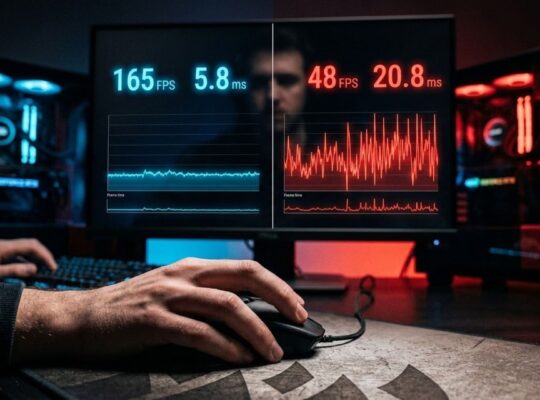
At this level, you also gain access to faster refresh rates, which matters more than most people admit. Once you have played at 144Hz or higher, 60fps starts to feel like a slideshow. If you are primarily gaming at 1080p on a high-refresh monitor, a mid-range build is arguably overkill in the best possible way.
One note worth making: spending more on the GPU than the CPU at this tier is almost always the right move. Your graphics card is doing the heavy lifting in modern gaming workloads.
High-end gaming build: $1,500 to $2,500+
High-end PC gaming in 2026 means one of two things. You are either chasing 4K at maximum settings, or you are targeting competitive 1440p at 240fps-plus with zero compromises. Both are legitimate goals. Neither is cheap.

The GPU anchor at this level is the RTX 4080 Super or the AMD RX 7900 XTX, with the RTX 4090 still sitting at the extreme top if budget is genuinely not a concern. Pair either with a Ryzen 9 7900X or Intel Core i9-14900K, 32GB of fast DDR5, and a high-capacity NVMe setup, and you have a system that will not ask you to turn a single setting down for the foreseeable future.
The honest reality of this tier is that you are paying a significant premium for diminishing returns compared to mid-range. The jump from mid to high-end is smaller in practical gaming experience than the jump from entry to mid. That does not make it unjustifiable, but it is worth being clear-eyed about it before you commit.
If your monitor tops out at 1440p 144Hz, a $2,000 build is probably not giving you your money’s worth over a $1,100 one. If you are running a 4K 144Hz display or a high-refresh 1440p with HDR, it starts to make a lot more sense.
The component that actually determines your experience
Hardware specs on paper only tell part of the story. Storage speed, RAM capacity, and even your CPU cooler choice all affect how your system feels day to day. But the single biggest determinant of your gaming experience, regardless of budget tier, is the GPU you choose.

Everything else in a build can be fine-tuned over time. You can add RAM later. You can upgrade storage. Swapping a GPU is the most impactful single upgrade in any gaming rig, which is also why it should eat the largest share of your budget at every tier.
That said, do not underestimate your monitor as part of the equation. A high-refresh 1440p display paired with a mid-range GPU will give you a better overall experience than a 4K monitor being driven by a card that cannot actually hit smooth frame rates at that resolution.
Choosing the right tier for how you actually play
Before picking a budget, think about what you actually play. Competitive gamers grinding ranked matches in Valorant or CS2 get enormous value from high frame rates, which mid-range hardware delivers easily. Story-driven gamers who play at 60fps on ultra settings are perfectly served by a solid entry-level build.

If you want the full picture on how these components interact and how to think about upgrades over time, our complete guide to desktop gaming PC power, performance, and upgrades walks through every layer of a gaming build in detail.
The most common mistake first-time builders make is overspending on a GPU tier their monitor cannot even use, or underspending on RAM and then wondering why their system stutters in modern titles. Match your build to your display, your game library, and your actual usage habits. That alignment is what separates a smart build from an expensive one.
What 2026 actually demands from your hardware
Games in 2026 are more GPU-bound than ever. Titles built around ray tracing, path tracing, and AI-driven upscaling pipelines eat through VRAM fast. The 8GB VRAM threshold that was comfortable in 2022 is feeling tight in a growing number of current releases. If you are building now, 12GB VRAM minimum is a smarter long-term play, even in the entry tier.
Frame generation technology has also become standard at this point. NVIDIA’s DLSS 3 and AMD’s FSR 3 both use frame interpolation to effectively double output frame rates in supported titles. This is not a magic fix, and it adds latency, but for single-player gaming it is a legitimate performance multiplier that makes modest hardware punch above its class.

The bottom line on budget gaming PCs in 2026
PC gaming has never been more accessible at the entry and mid tiers. The argument that you need to spend a fortune to game on PC simply does not hold in 2026, and the hardware landscape backs that up clearly.
Pick your budget, prioritize your GPU, and match everything else to your monitor and the games you actually play. If you go into it with that framework, you will end up with a build you are happy with regardless of what you spend.
The more interesting question is where we go from here. With GPU architectures evolving faster than most buyers can keep up with and AI upscaling eating into the advantage of raw horsepower, what does the budget gaming PC look like in 2027? It is a genuinely open question, and the answer might surprise even the most experienced builders.