![[decorative]](https://mixagame.com/wp-content/uploads/2025/10/cropped-mixagame-redwhite-logo-1024x256-1.png)
Nobody tells you how overwhelming a PC parts list feels until you are staring at one for the first time. Twelve browser tabs open. Three Reddit threads pulling you in different directions. And a budget that feels simultaneously too large and not nearly enough. The hardware market in 2026 is more capable than it has ever been. Somehow, it is also more confusing than ever.
Here is what most beginner guides get wrong. They treat gaming PC components as a list of isolated specs to memorize. In reality, it is a system of interconnected parts that only makes sense once you see how they talk to each other. A GPU that costs twice as much will not save a build where everything else is three generations old. A fast processor cannot compensate for a graphics card that cannot keep up with the resolution you are targeting. The components do not work in silos. They work as a chain, and the weakest link in that chain defines the ceiling for everything above it.
This guide is not about memorizing specifications. It is about understanding the job each component performs. It is about recognizing how those jobs intersect. And it is about making build decisions that reflect your real gaming habits, not a spec sheet that looks impressive on paper.
Gaming PC hardware has come a long way since the early 2000s. Back then, building your own rig was niche behavior, reserved for enthusiasts willing to troubleshoot drivers for hours. Today the information is everywhere. The challenge is not access. It is knowing which information actually matters for the way you play.
The components that define a gaming PC are the GPU, the CPU, RAM, storage, and the cooling system. Together, they keep everything running at the performance levels you paid for. Each one has a specific job. Each one has a budget range where the value curve makes the most sense. And each one carries a set of common mistakes. Those mistakes cost builders real money without improving the experience they were chasing.
Section 1: the two components that drive everything
GPU: the reason your games look the way they do
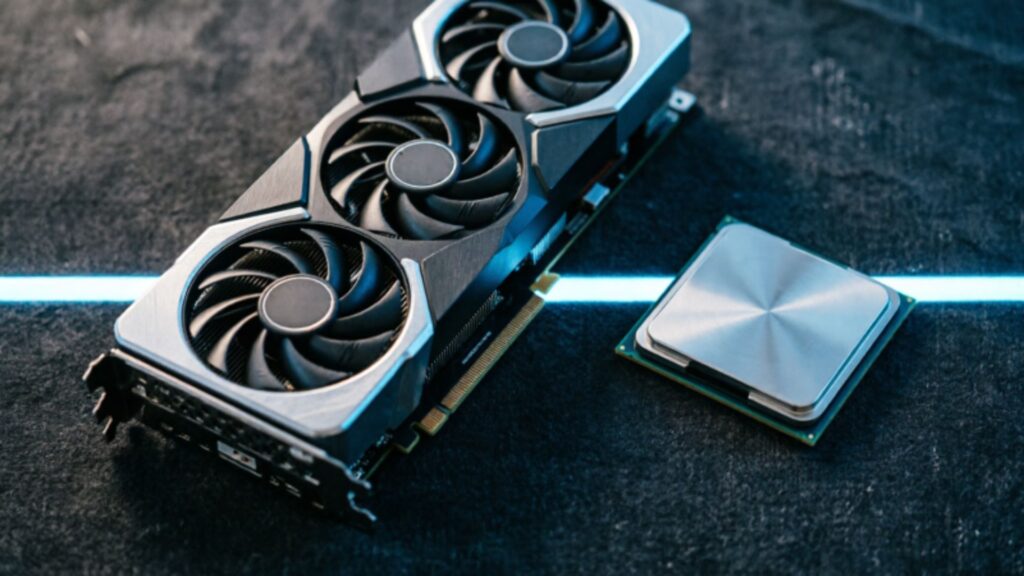
Start with the graphics processing unit because everything else in the build conversation orbits around it.
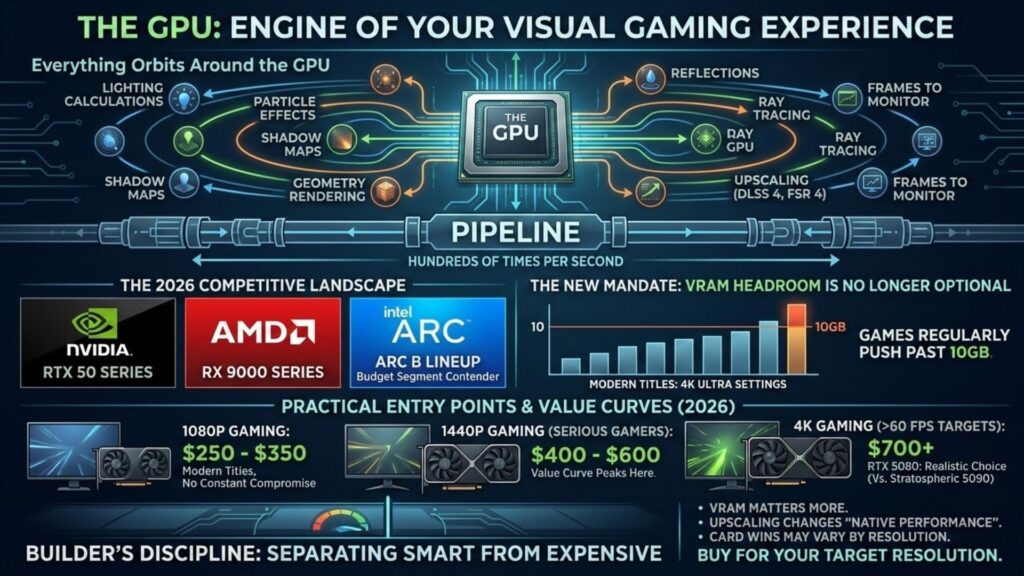
Every frame on your monitor passed through the GPU before it reached your eyes. Lighting calculations, shadow maps, geometry rendering, particle effects, reflections, ray tracing, upscaling through technologies like DLSS 4 or FSR 4: all of it runs through the graphics pipeline hundreds of times per second while you play. No other component touches your visual experience as directly or as consistently. When performance drops in a demanding game, the GPU is the first variable worth examining.
The GPU market in 2026 is genuinely competitive in a way it has not been for several years. Nvidia’s RTX 50 series and AMD’s RX 9000 series define the current generation. Meanwhile, Intel’s Arc B lineup holds a surprising amount of ground in the budget segment. The meaningful shift compared to two years ago is VRAM pressure. Games with high-resolution texture packs regularly push past 10GB of VRAM at 4K ultra settings. So enough memory headroom is no longer optional for a system you expect to keep three or four years.
The practical entry point in 2026 looks like this. For 1080p gaming, the $250 to $350 range covers modern titles without constant compromise. For 1440p, which is where most serious desktop gamers currently sit, the $400 to $600 range is where the value curve peaks. For 4K above 60 fps in demanding titles, you are looking at $700 and above. There, the RTX 5080 is the realistic choice for that tier, without the stratospheric pricing of the RTX 5090. For the specific cards that win at each price tier right now, see our guide to the best GPUs for desktop gaming.
VRAM matters more than it did. Upscaling changes what “native performance” means in practice. And the card that wins a benchmark at one resolution may not hold that position at another. Buy for your target resolution, not for the highest spec you can afford. That discipline separates smart GPU purchases from expensive ones.
CPU: the coordinator running the show behind the scenes
The central processing unit does not render your games. But it controls nearly everything that makes them run properly.
Game logic, physics, AI behavior, audio, network communication, and every background process your OS runs: all of that sits on the CPU. A weak processor cannot feed frames to the GPU fast enough. As a result, your graphics card sits partially idle, waiting. The result shows up as inconsistent frame rates and stuttering. And no GPU upgrade will fix it until the processor catches up.
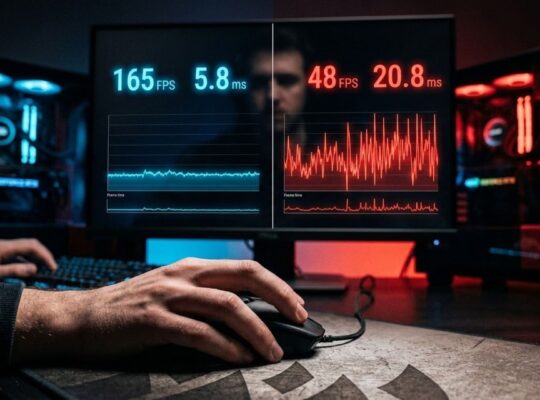
This dynamic, commonly called bottlenecking, is the most misunderstood concept in gaming hardware discussions. Every system has a bottleneck somewhere. The goal is not to eliminate it. Rather, it is to ensure it lands at a reasonable, expected place given your hardware pairing. A monitoring tool like MSI Afterburner running during gameplay tells you which component is hitting its ceiling. Does GPU usage sit consistently at 95 to 99 percent? Then your system is GPU-limited, and that is working as intended for most gaming. If GPU usage is fluctuating well below that while frame rates feel choppy, your CPU is likely constraining the output.
Resolution shifts the answer more than most people realize. At 4K, the GPU is under significant pressure and the CPU rarely becomes the ceiling. At 1080p with refresh targets above 144Hz, the picture changes. In competitive titles especially, the processor becomes a much more meaningful variable. Esports players chasing 240Hz at 1080p build very differently from someone running narrative open-world games at 4K. And the CPU choice reflects that difference directly.
The current generation from Intel and AMD is strong. A mid-range processor from the last two to three years will not bottleneck a mid-range GPU in most gaming scenarios. Aging CPUs create real problems in specific cases. Think simulation-heavy genres, games with dense NPC populations, or a modern high-end GPU paired with a processor four or more generations old.
| Scenario | Typical Bottleneck | Priority |
| 4K max settings | GPU in almost every case | GPU first |
| 1440p balanced gaming | GPU in most cases | GPU first |
| 1080p high refresh rate | CPU more likely | Evaluate both |
| Strategy and simulation games | CPU more likely | CPU worth prioritizing |
| Aging CPU with new GPU | CPU | CPU upgrade needed |
The relationship between these two components is the foundation of every good build decision. For anyone who wants to go deeper on diagnosing their own system, the CPU vs GPU for gaming guide explores it in full detail.
Section 2: RAM and storage, the parts people get wrong most often
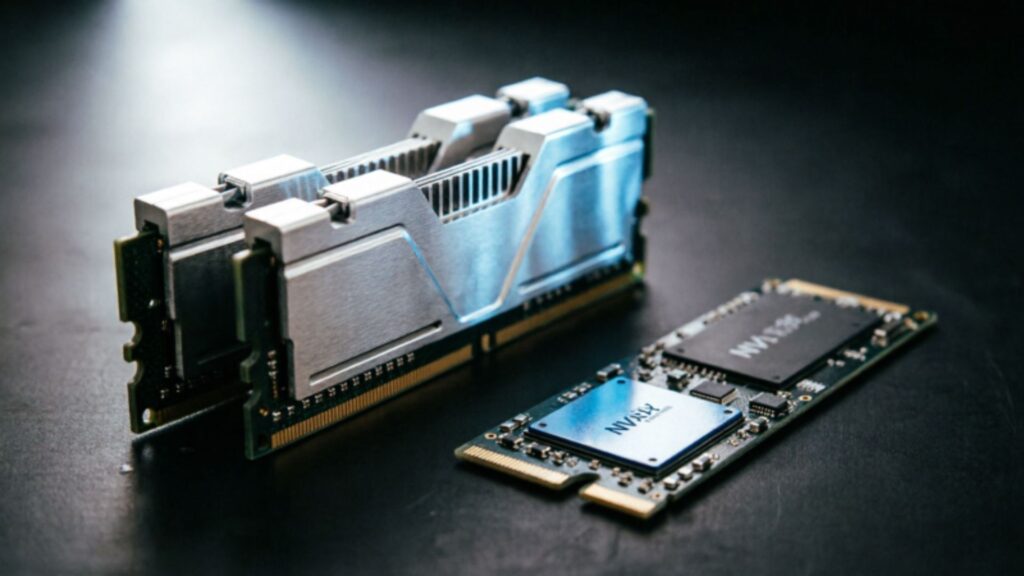
RAM: capacity first, speed second
RAM is where most first-time builders either overspend or underspend, and the marketing around memory does not help either mistake.
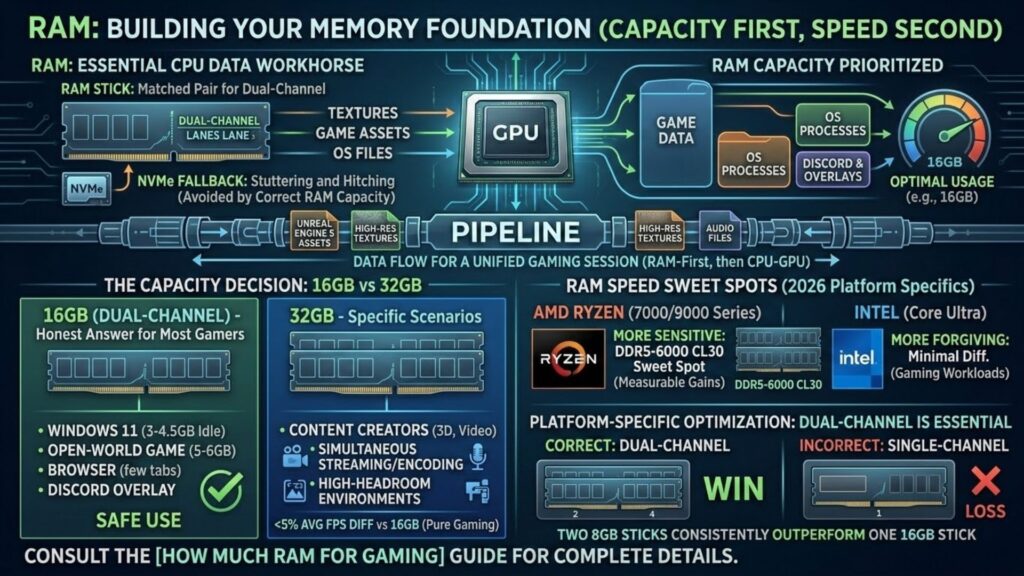
The job of RAM is straightforward. It holds the data your CPU needs immediately: game assets, textures, audio files, and operating system processes. All of it runs simultaneously in the background. When a game demands more data than your RAM can hold at once, the system reaches for storage instead. Even on the fastest NVMe drive available in 2026, that fallback is dramatically slower than reading from memory. The result is stuttering and hitching. Players often misattribute it to the GPU, when the actual cause sits in a different slot entirely.
In 2026, the baseline has shifted. Eight gigabytes of RAM used to be a defensible budget recommendation. It is no longer. Windows 11 consumes between 3GB and 4.5GB at idle depending on active background services. Add a modern open-world game pushing 5GB to 6GB, a browser with a few tabs, and a Discord overlay. Now an 8GB system is at its ceiling before the session even gets demanding. Games built on Unreal Engine 5, including several major 2025 and 2026 releases, regularly exceed that threshold in specific scenarios.
Sixteen gigabytes of dual-channel DDR5 is the honest answer for most desktop gamers in 2026. It covers the operating system, the game, and the background apps most people actually run. And it does so without forcing you to close everything else first. The performance gap between 16GB and 32GB in pure gaming benchmarks is narrow. Typically, it is under 5 percent in average frame rate. And it often disappears entirely in GPU-limited scenarios, where the graphics card is the real ceiling.
The case for 32GB is specific rather than universal. Streamers running a game and a video encoding process simultaneously see real benefits from the additional headroom. Content creators who edit video or work in 3D software on the same machine benefit clearly. Pure gamers who do nothing else on the system will rarely notice the difference in practice.
RAM speed is a secondary consideration, but it is worth understanding for platform-specific reasons. AMD Ryzen processors, particularly the Ryzen 7000 and 9000 series, are more sensitive to memory speed and timings than Intel’s current generation. A DDR5-6000 CL30 kit hits the recognized sweet spot for most AMD builds. It also produces measurable gains compared to slower configurations. Intel systems are more forgiving and less likely to show meaningful differences between memory speed tiers in gaming workloads.
One configuration point that matters more than most buyers realize is channel configuration. Two sticks of 8GB running in dual-channel mode will consistently outperform one stick of 16GB in single-channel. Always buy matched pairs, and install them in the correct slots per your motherboard manual. Usually, that means the second and fourth slots rather than the first and second.
Need more detail? For a complete breakdown by use case, game genre, and platform, the how much RAM for gaming guide covers every scenario with specific recommendations.
Storage: the component that changes how gaming feels
Storage does not raise your frame rate. What it does is change the texture of your entire gaming experience, in ways that compound across every session. And in 2026, its role in gaming performance is more significant than at any previous point in PC gaming history.
The fundamental job of storage is to hold your games and deliver data to RAM when the system needs it. The speed of that delivery determines how long loading screens last. It shapes whether open-world environments stream cleanly as you move. And it decides whether texture pop-in breaks immersion in visually dense games. None of those outcomes affect your benchmark frame rate. All of them affect whether your sessions feel smooth or frustrating.
The performance gap between a traditional hard disk drive and a modern solid state drive is not subtle. A 7200 RPM hard drive delivers sequential read speeds of around 150 to 200 MB/s. A SATA SSD reaches 500 to 560 MB/s. A mid-range NVMe drive operating over PCIe 4.0 delivers 3,500 to 7,000 MB/s. Those numbers translate directly into load time differences that any player can feel without running a single benchmark.
Hard drives are not without a place in a modern gaming setup. Their cost per terabyte remains far lower than SSD alternatives. That makes them reasonable as secondary storage for library overflow, media files, and archival data. As a primary gaming drive in 2026, the HDD is increasingly difficult to recommend for anyone whose library includes modern titles. Games built on current-generation engines stream assets aggressively. And that demand exposes the mechanical drive’s limitations in ways older, simpler titles never did.
The more interesting conversation in 2026 is between SATA SSD and NVMe. After all, the raw speed numbers suggest a massive gap that real-world gaming only partially reflects. Most games do not saturate SATA SSD speeds during normal asset streaming. The bottleneck tends to sit elsewhere in the pipeline. Where NVMe drives produce genuinely meaningful differences in gaming is through DirectStorage, Microsoft’s API that allows supported games to stream compressed assets directly from NVMe storage to the GPU without routing through the CPU first.
DirectStorage adoption has grown steadily since its introduction and is now a design consideration in many major PC releases. Games built with this API load geometry and high-resolution textures faster. And open-world traversal produces less hitching as surrounding environments populate. The list of titles leveraging it grows with each major release cycle. So buying an NVMe drive in 2026 increasingly carries both present-day and forward-looking benefits.
The practical setup that most experienced builders land on is a combination approach. A 1TB NVMe SSD as the primary drive handles the operating system, the most-played games, and any DirectStorage-optimized titles. A larger secondary drive covers the rest. That can be a high-capacity HDD or a budget SATA SSD, for library overflow and anything that does not need fast load times. This configuration delivers the responsiveness of modern storage for the games that benefit most. And it does so without paying NVMe prices for every terabyte the library requires.
| Storage Type | Sequential Read | Load Time vs HDD | DirectStorage | Cost per TB |
| HDD 7200 RPM | 150 to 200 MB/s | Baseline | No | $20 to $30 |
| SATA SSD | 500 to 560 MB/s | 2x to 3x faster | Limited | $55 to $75 |
| NVMe PCIe 4.0 | 3,500 to 7,000 MB/s | 3x to 5x faster | Full support | $70 to $110 |
Want the full comparison? Load times, real-world speed differences by genre, and how to structure a dual-drive setup are all covered in the SSD vs HDD for gaming breakdown.
Section 3: cooling, the infrastructure that protects your investment
Why cooling deserves more attention than it gets
Most first-time builders treat cooling as an afterthought. They spend weeks researching GPU options and days comparing CPU generations, then spend about fifteen minutes deciding on a cooler. That imbalance has consequences. They show up not during the build, but six months later, when performance mysteriously dips under load and nobody can explain why.
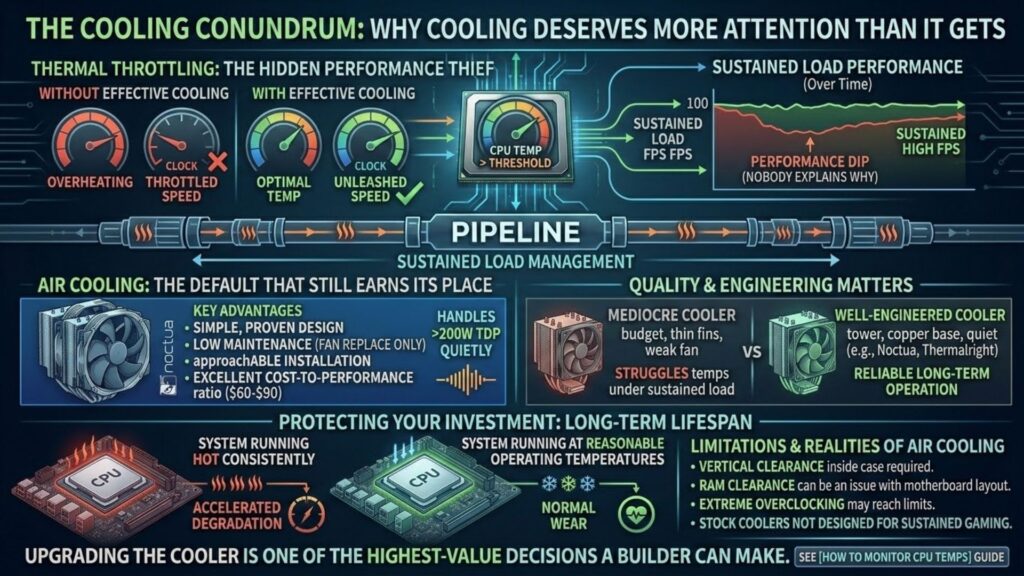
The explanation is thermal throttling. Modern processors from Intel and AMD automatically reduce their clock speeds. This happens whenever temperatures exceed safe thresholds. It is a protection mechanism, not a flaw. But the practical result is simple. A CPU running too hot performs below its rated specifications, precisely when your game demands the most from it. The expensive processor you bought to push high frame rates quietly runs slower than it should. And the only way to catch it is a temperature monitoring tool running in the background.
Sustained heat also accelerates the long-term degradation of components. Heat also ages hardware. A system that runs hot across two or three years of daily gaming shows wear faster than one kept at reasonable temperatures. Cooling is not just about peak performance. It is about protecting the investment you made across its entire lifespan.
Modern desktop processors make adequate cooling more important than it has ever been. High-end chips from the current Intel and AMD generation regularly push past 150W under sustained gaming load. Some configurations exceed that during boost cycles. The thin stock coolers that ship with certain processors are designed for basic operation. They are not built for gaming sessions that run for hours at high utilization. Replacing or upgrading the cooler is one of the highest-value decisions a builder can make relative to its cost.
Air cooling: the default that still earns its place
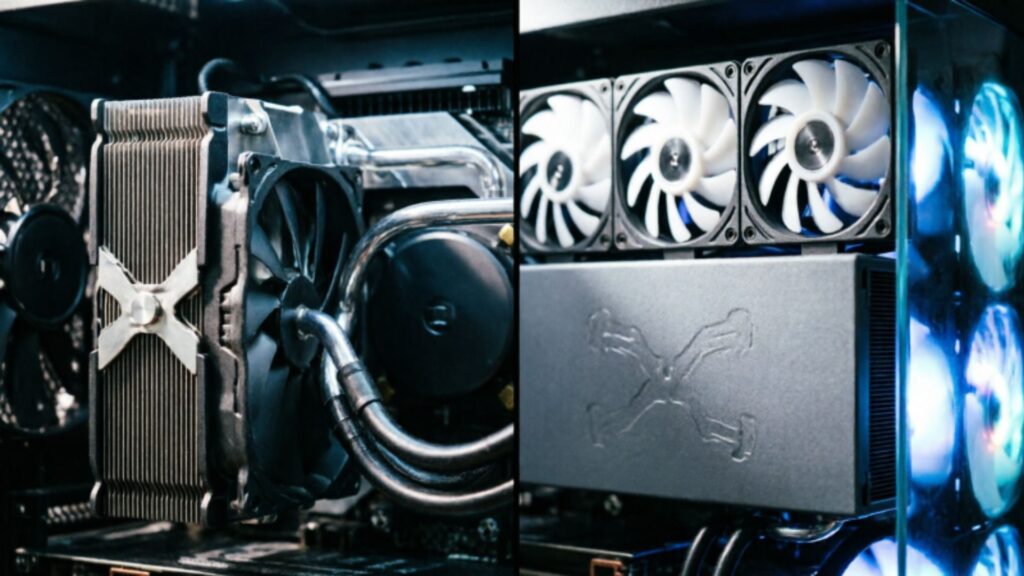
Air cooling is where PC thermal management began. And in 2026, it remains the right answer for the majority of gaming builds. The concept has not changed in decades. A metal heatsink sits directly on the CPU, drawing heat away from the processor. Fans push air through the heatsink fins and out through the case exhaust system. Simple, proven, and remarkably effective when executed with quality components.
The key word is quality. The difference between a mediocre air cooler and a well-engineered one is substantial. Budget coolers with thin aluminum fins and weak fans struggle under sustained load. A tower cooler from Noctua, Thermalright, or be quiet! simply does not. A dual-tower design like the Noctua NH-D15 handles processors with TDPs exceeding 200W without approaching its thermal limits. It runs quietly under normal gaming loads, and it needs essentially no maintenance across its life.
The advantages of air cooling extend beyond performance. Air coolers have very few points of failure. If a fan degrades or fails, it is a straightforward replacement. There are no tubes, no pump, no coolant, and no risk of liquid-related damage inside the case. Installation is more approachable for first-time builders than liquid cooling alternatives. And the cost-to-performance ratio at the $60 to $90 price point is difficult to argue against for most gaming builds.
The limitations are real but specific. Large dual-tower coolers require vertical clearance inside the case that not every mid-tower provides. Certain heatsink designs can conflict with RAM slots depending on the motherboard layout, particularly with tall memory modules. And for processors pushed to their absolute limits through aggressive overclocking, air cooling has limits. It may not provide enough thermal headroom to stay stable across extended sessions.
Most desktop gamers run current-generation processors at stock or mildly tuned settings. For them, a quality tower air cooler is everything the system needs.
Liquid cooling: real advantages, real trade-offs
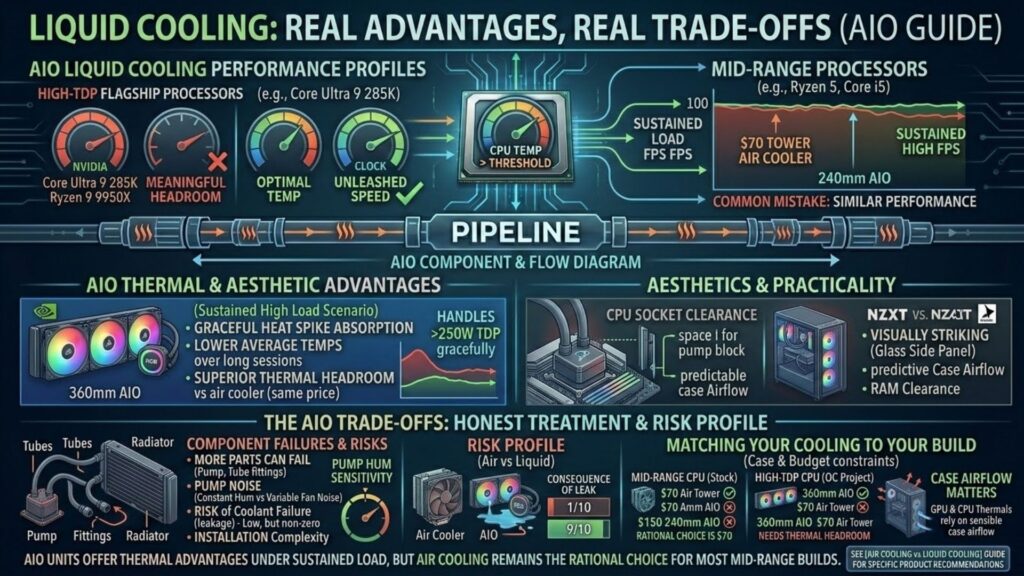
All-in-one liquid coolers have moved from enthusiast luxury to mainstream option over the past several years. Walk through the cooling section of any major PC hardware retailer in 2026. AIO units now outnumber traditional air coolers on display by a significant margin. Pre-built gaming systems from major manufacturers increasingly ship with them as standard. That mainstream adoption reflects genuine performance advantages, but it also reflects marketing momentum that sometimes outpaces honest value assessment.
An AIO circulates liquid coolant from a pump block mounted on the CPU. Flexible tubes carry it to a radiator mounted inside the case. Fans attached to the radiator dissipate the transferred heat, and the cooled liquid cycles back to the pump block. The system is sealed at the factory and requires no coolant top-ups or maintenance under normal circumstances.
The thermal advantages are most visible under sustained high-load scenarios. Liquid cooling absorbs heat spikes more gracefully than air. And it maintains lower average temperatures over long sessions, where the CPU sits near maximum utilization. Some processors run very hot, like the Intel Core Ultra 9 285K or the AMD Ryzen 9 9950X under demanding workloads. For those, a 360mm AIO provides thermal headroom a comparably priced air cooler cannot match.
Liquid cooling also clears the area directly above the CPU socket. That helps with RAM clearance in tight builds, and it makes airflow more predictable inside the case. Aesthetics matter to many builders. A well-mounted AIO with quality fans, visible through a glass side panel, looks striking in a way even the best air cooler cannot replicate.
The trade-offs deserve honest treatment. AIOs cost more than equivalent-performing air coolers at most price tiers. They have more components that can fail, including the pump, the tubes, and the fittings. Installation is more involved and requires planning around radiator mounting positions and fan orientation. Pump noise is the trade-off. That subtle, constant hum varies by unit and by personal sensitivity, and it bothers some users more than a quality air cooler’s fan noise.
The risk of coolant failure inside a case is low in practice, but not zero. And a leak is significantly more serious than a failing fan. Reputable AIO makers like Corsair, NZXT, and Arctic have strong reliability records. Still, the risk profile differs from an air cooler that has no liquid in the system at all.
Matching your cooling to your build
The practical decision comes down to four variables. Namely, your processor’s TDP, your case dimensions, your budget, and your tolerance for installation complexity.
For most 2026 builds running mid-range processors at stock settings, the math is easy. A quality air cooler in the $60 to $90 range is the rational choice. It performs adequately and requires minimal installation expertise. Better still, it will outlast most other components in the system without asking for any attention.
A 240mm AIO makes sense in two cases. First, when case constraints rule out a large air tower. Second, when a mid-range processor is pushed with a moderate overclock. A 360mm AIO earns its place in specific builds. Think high-TDP flagship processors, serious overclocking, or systems where thermal headroom over a long ownership period is a genuine priority.
Buying a 360mm AIO where a $70 tower cooler would perform identically is a common mistake. It costs real money without producing real results. The inverse mistake is just as common. Putting a budget air cooler on a processor that runs much hotter than the cooler was designed for is equally costly in its own way.
Case airflow is the variable that affects both cooling solutions in ways that most guides underemphasize. A well-ventilated case uses a sensible fan configuration, typically front intake with rear and top exhaust. That setup lets both air and liquid coolers run closer to their rated performance. A poorly ventilated case with no clear airflow path hurts both solutions. It creates thermal conditions that no cooler can fully compensate for.
Your GPU has its own cooling built in, through a factory heatsink and fans. But those fans depend on case airflow to move heat out of the chassis effectively. A hot case is a problem for your GPU thermals regardless of how capable your CPU cooler is. Cooling decisions are not made in isolation. They connect back to the same system-level thinking that applies to every other component choice in the build.
Want product-level detail? For a full comparison at each price tier, the air cooling vs liquid cooling for gaming guide covers every scenario a desktop builder is likely to encounter.
The part nobody talks about: building a balanced system
There is a version of this conversation that ends with a list of recommended parts and a total price. That version is useful, but it misses something important.
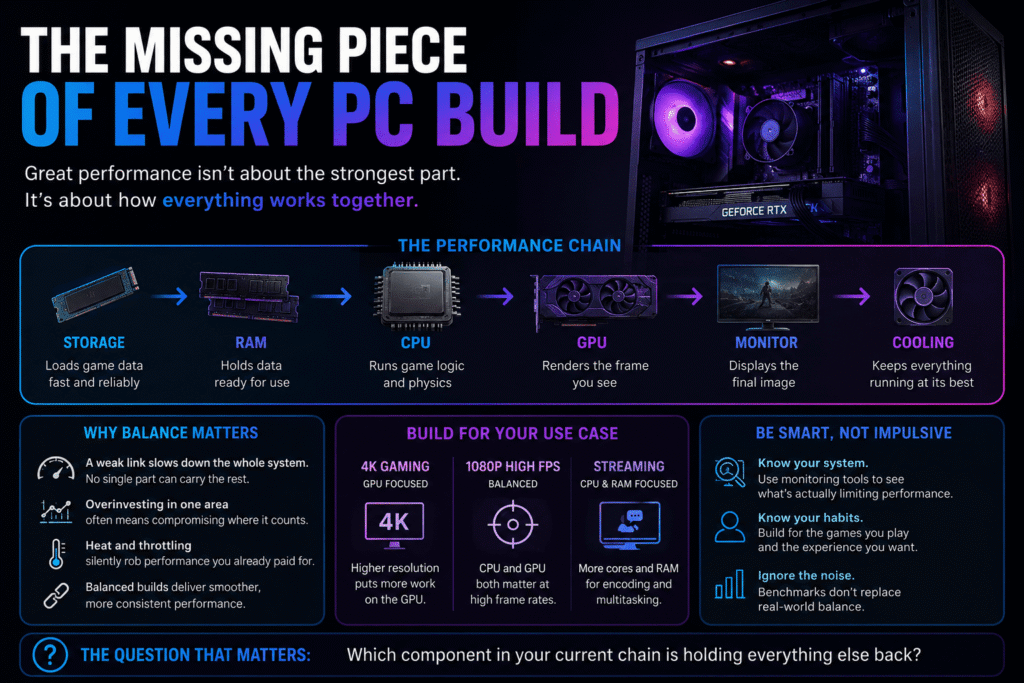
The skill that separates experienced builders from first-timers is not obscure knowledge. It is not knowing which GPU is fastest or which CPU tops single-core benchmarks. It is understanding balance. A gaming PC is not a collection of individual components competing for attention on a spec sheet. It is a system. Every part depends on every other part to perform at the level you actually paid for.
This idea sounds simple. In practice, it gets ignored constantly.
Walk through any PC hardware forum in 2026. You will find threads from players running a flagship GPU next to a five-generation-old processor, wondering why their frame rates feel inconsistent. You will find builders who spent their entire budget on a processor and a premium cooler, then compromised on storage. Later, they wonder why their sessions feel choppy during open-world traversal. You will find people who bought 64GB of RAM for a system that only games. Meanwhile, their graphics card sat three tiers below where it should have been for their target resolution.
Every one of those situations reflects the same underlying mistake. They optimize for one component in isolation rather than thinking about the chain.
The chain works like this. Your storage pulls game data and delivers it to RAM. Your RAM holds that data and feeds it to the CPU. Your CPU processes the game logic and sends rendering instructions to the GPU. Your GPU draws the frame and sends it to your monitor. Your cooling system keeps every part of that chain at the clock speeds you paid for. Without it, thermal throttling forces reduced speeds on an inadequately cooled system.
A weakness anywhere in that chain limits the output of everything downstream. A slow hard drive creates hitching that no amount of GPU performance can smooth over. Insufficient RAM forces the system to reach for storage at the worst possible moments. A CPU bottleneck leaves a capable GPU waiting. A thermal limitation reduces the effective performance of whichever component runs hot. And it does so regardless of what the spec sheet promises.
Balance does not mean spending equally across every component. It means spending proportionally based on your actual use case. A 4K gaming build should weight GPU spending heavily because that resolution is almost always GPU-limited. A competitive 1080p build at high refresh rates needs careful GPU and CPU balance. After all, the processor becomes a meaningful variable at that resolution and frame rate. A build optimized for streaming needs more RAM and a stronger CPU. That is more than a build aimed purely at single-player gaming at the same resolution.
Know your use case before you open a single product page. It is the most valuable thing you can do for your build budget. The second most valuable thing is data. Run a hardware monitoring tool during gameplay on your current system before you spend anything. That data tells you which component is actually limiting your experience right now. And that beats a benchmark from a reviewer running a completely different configuration.
The gaming hardware market in 2026 rewards informed buyers more than it ever has. Real competition in the GPU segment between Nvidia and AMD is producing meaningful options at every price tier. And that has not happened for several years. CPU performance from both major manufacturers has reached a new bar. Mid-range processors are now genuinely capable for almost every gaming scenario. Storage prices have dropped to the point where a primary NVMe drive is no longer a premium decision. Quality air cooling is available at prices that make thermal compromises unnecessary in most builds.
The tools for building a well-balanced gaming PC have never been more accessible. The noise around those tools has never been louder either. Cutting through the noise comes down to one discipline. Understand what each component does, know how those jobs connect, and decide based on your real gaming habits rather than whoever wrote the spec sheet.
If there is one place to start, it is here. Understand how your GPU and CPU divide the workload between them. That relationship drives more build decisions than any other single factor. And getting it right makes everything else fall into place more naturally. The CPU vs GPU for gaming guide is where that conversation lives. Go there to diagnose exactly where your system stands, and where your upgrade budget will do the most work.
The question worth sitting with before your next hardware decision is not which component has the highest benchmark score. It is which component in your current chain is the one holding everything else back.