![[decorative]](https://mixagame.com/wp-content/uploads/2025/10/cropped-mixagame-redwhite-logo-1024x256-1.png)
Path tracing does not come cheap. Pragmata is built on Capcom’s RE Engine with full ray traced global illumination, ray traced reflections, and a path tracing mode that simulates multi-bounce lighting across every surface in the game’s lunar environments. Engine development support manager Masaru Ijuin said it plainly: “Path tracing fundamentally transforms game visuals.” It also fundamentally transforms the hardware you need to run it. Here is everything you need to know about Pragmata’s PC requirements and how to get the best performance before the April 17, 2026 launch.
What we know about Pragmata’s PC specs
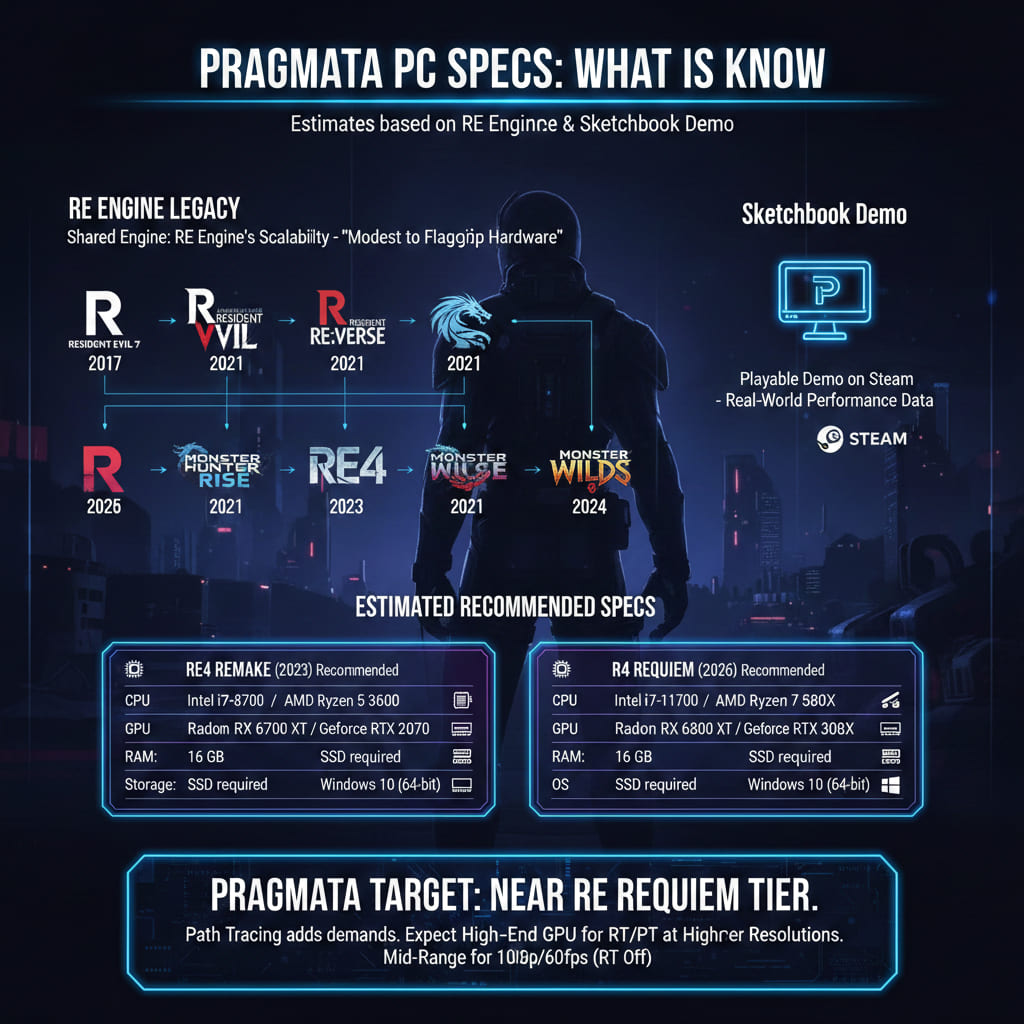
Capcom has not published official minimum and recommended system requirements for Pragmata at the time of writing. That is not unusual this close to launch. Capcom typically finalizes and publishes specs on the Steam store page in the final weeks before release. However, we can build a reliable picture from two sources: the RE Engine’s track record across recent Capcom titles and the free Sketchbook demo that is available right now on Steam.
The RE Engine has powered every major Capcom release since Resident Evil 7 in 2017, including Resident Evil Village, the RE4 Remake, Resident Evil Requiem, Monster Hunter Rise, and Monster Hunter Wilds. Its optimization profile is well understood by the PC community. The engine scales aggressively, running competently on modest hardware while offering visual ceilings that push flagship GPUs to their limits.
For reference, here are the official specs from two recent RE Engine titles that bracket Pragmata’s expected demands:
| Spec | RE4 Remake (2023) Recommended | RE Requiem (2026) Recommended |
| CPU | Intel i7-8700 / AMD Ryzen 5 3600 | Intel i7-11700 / AMD Ryzen 7 5800X |
| GPU | Radeon RX 6700 XT / GeForce RTX 2070 | Radeon RX 6800 XT / GeForce RTX 3080 |
| RAM | 16 GB | 16 GB |
| Storage | SSD required | SSD required |
| OS | Windows 10 (64-bit) | Windows 10 (64-bit) |
Pragmata’s requirements will almost certainly land at or near the RE Requiem tier, given that both games share the same engine generation and Pragmata adds path tracing on top of the standard ray tracing pipeline. Expect a modern mid-range GPU as the baseline for 1080p at 60fps with ray tracing off, and a high-end card for ray tracing or path tracing at higher resolutions.
Path tracing vs. ray tracing: what Pragmata offers on PC
Pragmata supports three tiers of lighting technology on PC, and understanding the differences helps you decide which setting to target for your hardware.
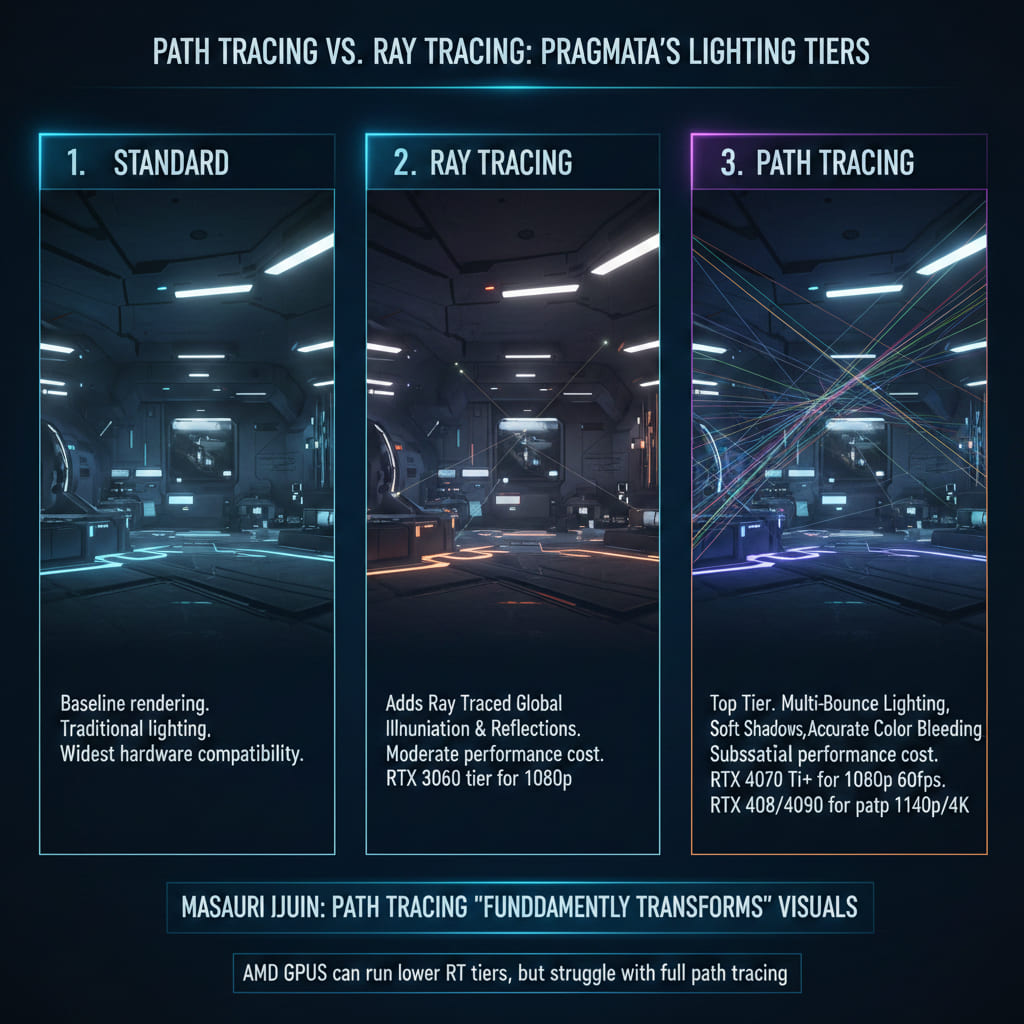
Standard rasterization is the baseline. No ray tracing involved. The game uses traditional rendering techniques for lighting and reflections. This will run on the widest range of hardware and still look excellent because the RE Engine’s art direction carries the visual quality regardless of the lighting method.
Ray tracing adds ray traced global illumination for indirect lighting and ray traced reflections. This improves how light bounces off surfaces and how reflective materials like metal and glass behave in the lunar station environments. The performance cost is moderate. Most modern GPUs with dedicated RT cores, from the RTX 3060 tier and up, should handle this at 1080p with some headroom.
Path tracing is the top tier. It enables multi-bounce lighting, meaning light rays bounce between surfaces multiple times rather than just once. This produces the most realistic lighting in the game, with soft shadows, accurate color bleeding between surfaces, and reflections that capture the full scene rather than approximations. Masaru Ijuin‘s comment about path tracing “fundamentally transforming” visuals was specifically referencing this mode.
The performance cost of path tracing is substantial. Based on how path tracing performs in other recent titles like Cyberpunk 2077 and Alan Wake 2, expect to need an RTX 4070 Ti or higher to maintain 60fps at 1080p with path tracing enabled, and an RTX 4080 or 4090 for stable performance at 1440p or 4K. AMD equivalent GPUs with ray tracing support can run the lower RT tiers but historically struggle with full path tracing workloads.
Using the sketchbook demo as a benchmark
The free Pragmata: Sketchbook demo on Steam is not just a gameplay preview. It is the best benchmarking tool available for the game right now. The demo uses the same RE Engine build, the same rendering pipeline, and the same asset quality as the full game. Performance in the demo should translate directly to the final release, with minor optimization improvements possible in the launch build.
Here is how to use it effectively:
- Download the Sketchbook demo from the Pragmata Steam page.
- Launch the game and navigate to the graphics settings menu.
- Set your target resolution (1080p, 1440p, or 4K).
- Start with ray tracing off and note your average frame rate during combat sequences, not just in menus or empty corridors.
- Enable ray tracing and repeat. Note the frame rate drop.
- If your hardware supports it, enable path tracing and repeat again.
- If frame rates drop below your target (60fps for most players), enable DLSS (Nvidia) or FSR (AMD) upscaling and test again.
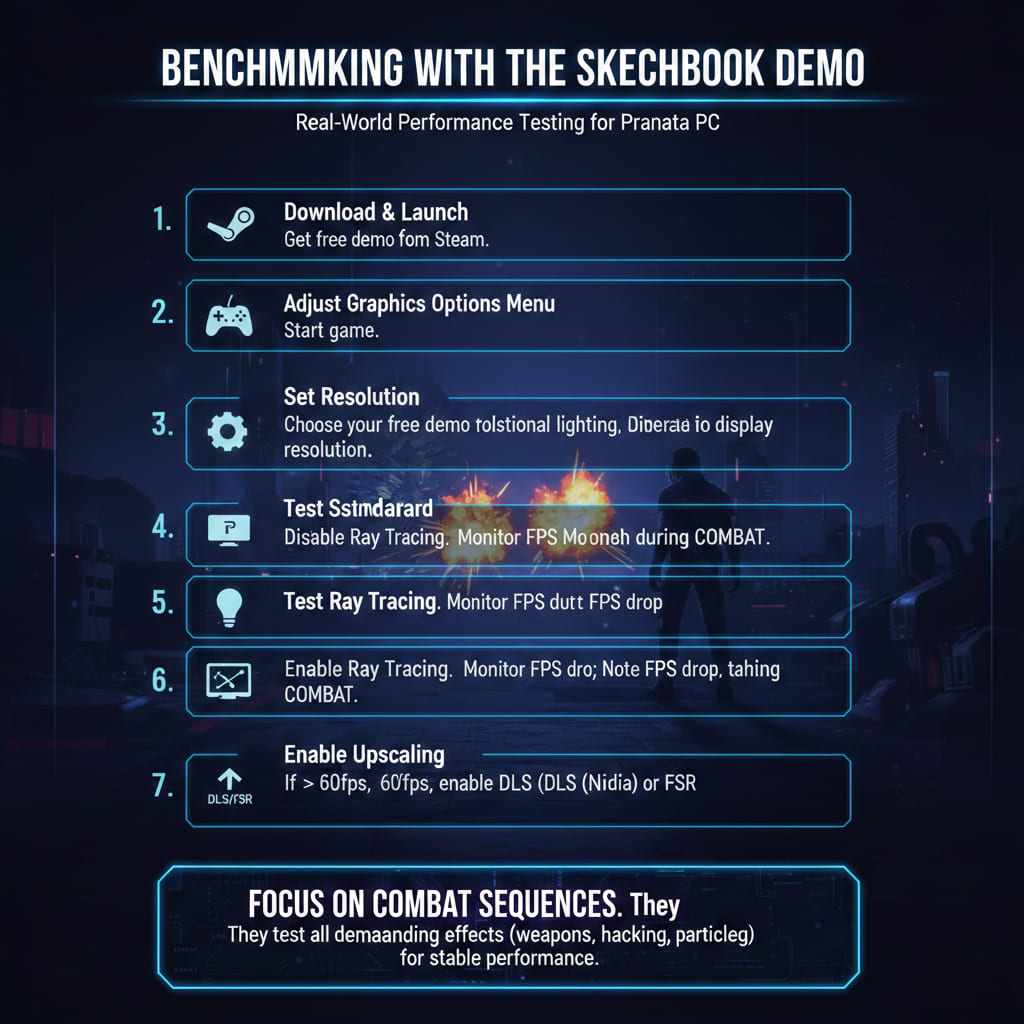
The combat sequences are the most demanding moments in Pragmata because they render Hugh’s weapon effects, Diana’s holographic hacking interface, enemy armor destruction particles, and environmental lighting simultaneously. If your system holds steady during a firefight, it will handle anything the full game throws at it.
DLSS, FSR, and upscaling expectations
Capcom has not officially confirmed DLSS and FSR support for Pragmata, but every RE Engine title released since 2022 has included both Nvidia DLSS and AMD FSR. It would be a significant departure from established practice to omit them here.
For Pragmata specifically, upscaling technology is not just a nice-to-have. It is likely the only way most players will experience path tracing at playable frame rates. DLSS Quality mode on an RTX 4070 could potentially bring path tracing within reach at 1440p by rendering at a lower internal resolution and reconstructing the image using AI. FSR 3 with frame generation could offer similar benefits on AMD hardware, though with less consistent image quality than DLSS in heavy RT workloads.
If you are building or upgrading a PC specifically for Pragmata, here is a practical recommendation tier:
| Target Experience | Recommended GPU | Expected Settings |
| 1080p / 60fps / No RT | RTX 3060 / RX 6600 XT | High settings, rasterization |
| 1080p / 60fps / Ray Tracing | RTX 3070 / RX 6750 XT | High settings, RT on |
| 1440p / 60fps / Ray Tracing | RTX 4070 / RX 7800 XT | High settings, RT on, DLSS/FSR |
| 1440p / 60fps / Path Tracing | RTX 4070 Ti / RTX 4080 | High settings, PT on, DLSS Quality |
| 4K / 60fps / Path Tracing | RTX 4080 / RTX 4090 | Ultra settings, PT on, DLSS Quality |
These are estimated tiers based on RE Engine behavior in comparable titles. Actual performance will depend on driver optimization, launch-day patches, and Capcom’s final settings implementation. The Sketchbook demo remains your most reliable pre-purchase tool.
SSD storage: expect it to be required
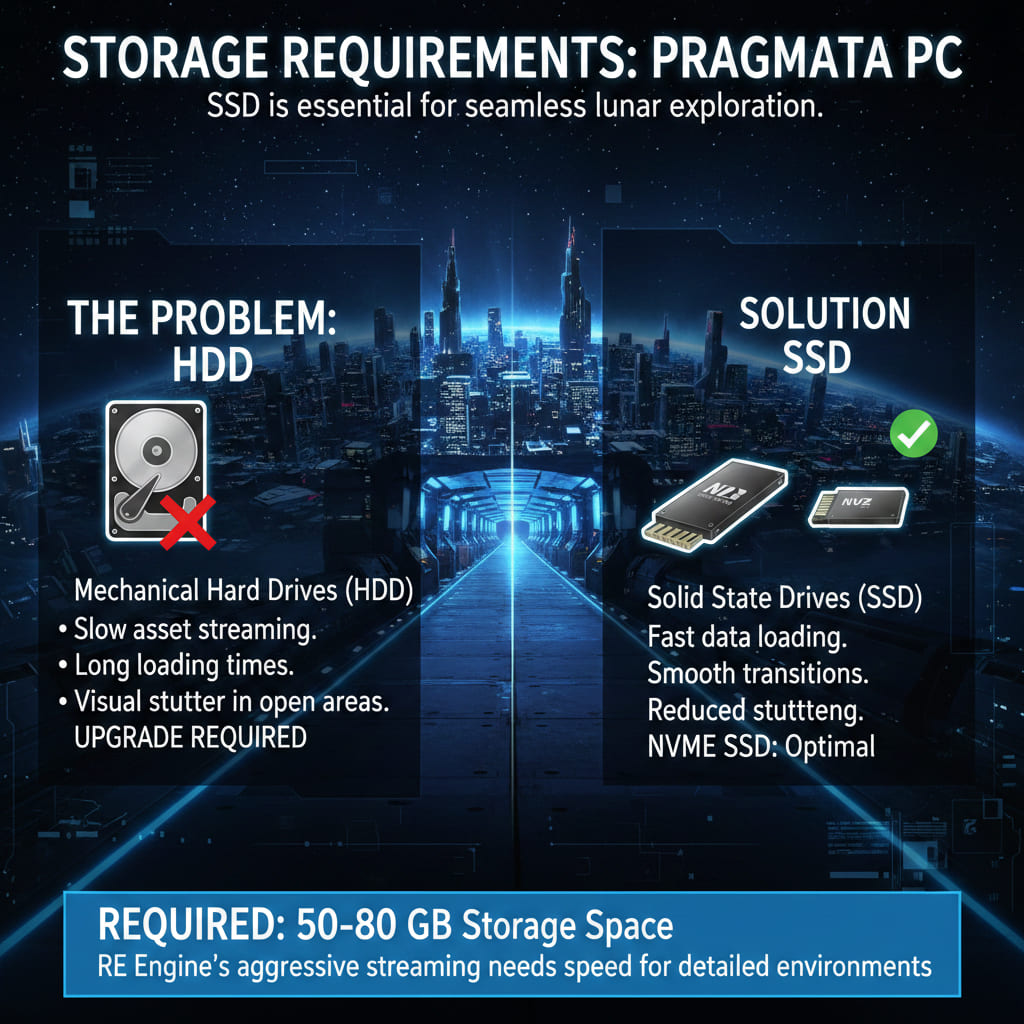
Every recent RE Engine title has listed SSD storage as either required or strongly recommended. The engine streams assets aggressively during gameplay, and Pragmata’s lunar environments, which transition between tight station corridors and massive open areas like the Urban Recreation Project’s city replicas, are built around fast data loading.
If you are still running a mechanical hard drive as your primary game storage, Pragmata will almost certainly require an upgrade. A standard SATA SSD is sufficient. NVMe is better but not likely to be mandatory. Budget 50 to 80 GB of storage space based on recent RE Engine install sizes.
The bottom line for PC players
Pragmata on PC is the definitive visual experience. Path tracing, the highest resolution ceiling, and the broadest settings customization make it the version to play if your hardware can handle it. But the RE Engine’s scalability means you do not need a flagship rig to enjoy the game. A mid-range system from the last two to three years will run Pragmata at high settings with standard ray tracing, and the demo lets you confirm that before spending a dollar.
Download the Sketchbook demo, run it through a few combat encounters, and let the frame counter tell you whether your PC is ready. That is more reliable than any spec sheet Capcom will eventually publish.
For everything else about Pragmata, from gameplay and story to editions and platform comparisons, our complete Pragmata game guide has it all ahead of the April 17 launch.
Are you planning to push path tracing on day one, or will you stick with standard ray tracing and let the art direction do the heavy lifting?